
Tools for Speaking Freely
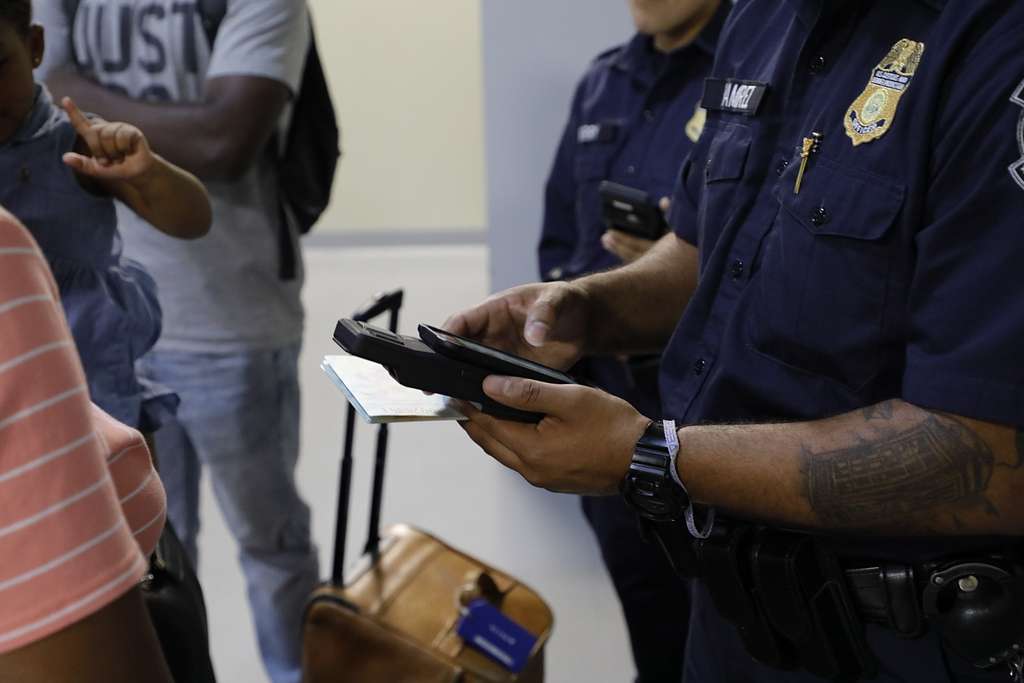
Photo: picryl.com. Public domain
Recently, a US-based French research scientist traveling to a conference in Houston was denied entry to the United States when immigration officials found text messages on his cell phone that were critical of Donald Trump. His experience was not unique — the Trump administration is greatly expanding many aspects of immigration enforcement into areas that we previously believed were protected speech. Some situations — border crossings, arrests at protests — offer greater risk for government agents misusing your speech against you.
The good news is that you can do a lot to protect the privacy of your digital content and in this and a subsequent column I’ll introduce you to ways you can protect yourself.
Are you feeling a little nervous about texting anti-Trump content to your immigrant friends? The Trump Administration is giving us all good reason to be nervous – but you can also use apps and settings to protect yourself and your loved ones.
If it feels overwhelming, start slow; pick out one thing to do and do it today, and do another one tomorrow or next weekend. I’m listing steps in a rough order of easy adoption and high benefit, but pick out whatever seems most doable and important for you. Spend a little time and assess your risks, too. The Trump Administration is actively working to undermine civil rights and democracy, but not everyone is equally vulnerable.
Assess Your Risk Factors
- You are legally vulnerable, as a non-citizen, criminal convictions or charges, or other potential legal concerns;
- You have family / friends / folks you work with who are legally vulnerable;
- You are an activist, particularly in areas currently being targeted by the federal administration – Palestinian rights and immigrant rights are the top two targets. But, anybody working on “DEI” / diversity work, Ukrainian support, Tesla takedown, trans rights, or any other current activism against the Trump regime could place you at higher risk.
- You have plans to travel across international borders, or, if you are particularly high risk, any travel plans that would involve interfacing with federal agents.
This is obviously not a comprehensive list, and any individual’s risk profile may be higher or lower. If you feel you are at a higher risk for these or any other reason, and especially if you must engage in risky activities (traveling or protesting or engaging with government agents), then consult with an attorney about your particular situation.
Start with These Three Steps
1. Signal (or WhatsApp): Signal (and WhatsApp) are encrypted text messaging apps that you can use instead of the default text messaging apps on your phone. Signal and WhatsApp are free, and easy to install and start using. They each encrypt communications “end-to-end”, which means that it’s encrypted from the moment it leaves your phone, all the way until it gets to its destination.
- Signal for Android at the Google Play store
- Signal for iPhones / iPads
- WhatsApp for Android at the Google Play store
- WhatsApp for iPhone / iPads
Which one should you use? If this is all new to you, start with Signal. If you have friends already using WhatsApp, you may want to go with WhatsApp. WhatsApp is common outside of the US, so your international friends may already be using it, and that may be the decisive factor. However, WhatsApp is owned by Meta (Facebook, Mark Zuckerberg), who is in bed with Trump these days, so that may give folks some pause. Also, WhatsApp does not encrypt the message metadata — what number you text, when, how long, etc.
This one is low-hanging fruit. Install one of these apps today, get a friend to do it too, and start playing around with messaging via Signal (or WhatsApp)!
More info about how Signal works from tech journalism site The Verge.
2. Biometrics Logins: Many of us have switched to letting our phones or computers “recognize” our faces or fingerprints to avoid having to log in. However, this convenience risks unwanted access to your devices by third parties who can look at your device AND you at the same time. How? Imagine that you are going through Customs, and they want to look at your device; they simply have to point your phone to your face to unlock it. They now have access to all the content on your phone – and encrypted text messaging only protects your texts in transit across the Internet – not on your devices. So, consider turning OFF biometrics (face recognition or fingerprint recognition) on your phone or laptop, particularly if you are at risk. Set up the password or passcode, ideally more than 4 digits. This is also a relatively easy thing to do.
3. Password Manager: If you reuse your passwords across multiple sites, or use simple passwords that are easily guessed, consider upgrading to a password manager. 1Password is recommended by Wirecutter. It’s an application that you put on your computer or your phone, and can operate from within your web browser. You have one password to access that software app, and it securely stores passwords for all kinds of websites, credit cards, etc. You can use it as a secure memory aid – it’s more secure than a piece of paper or a text file with your passwords – but it really shines as a browser plugin, because each site you log into can have its own separate password, all of which are managed by your password manager software. 1Password is not free, and it will take a bit of time to start to deploy it, but this is a useful investment of time and money.
NEXT STEPS:
In the next column, we’ll look at “social media hygiene” and other encrypted apps. If you’re eager to get going, though, here are a few more resources for you:
- “Protesting Under Fascism” (March 26, 2025) by Fight for the Future (a Massachusetts-based civil liberties group)
- “Surveillance Self-Defense” by the Electronic Frontier Foundation (EFF)
- “Protecting Your Data from Cops & Robbers Part 1“, Edward Hasbrouck, The Practical Nomad (reviews threats) and Part 2 (data minimization as part of a threat assessment)